What Kugel Platform Does: A Functionality Tour
An overview of Kugel Platform for marketing and growth teams: governed objects, pages and recipes, publishing and release, campaign pages, browser checks, images and PDFs, forms and the inbox, measurement and experiments, the CMS-Agent workflows, and many sites on one engine.
7 min read By Platform Documentation t_guide #t_architecture #t_publishing #t_multisite
Start here
A publishing engine built for performance marketing
Kugel Platform builds and runs websites that agents and people edit under the same rules. Pages are served as fast static files, every change can be traced to who made it and why, and results are measured against the exact block that was changed. This site runs on the platform, so everything described here can be inspected.
The platform has three working parts. The publishing engine stores every page, article, menu and theme as a governed object and renders the websites. CMS-Agent is the agent layer: it runs multi-step workflows that research, write, review, build pages and check them in a browser. The artifact foundry makes and measures images and PDFs. The parts talk to each other through the same operations a person would use.
Each section below ends with a status: verified live, built but not yet proven live, or planned.
Content model
Everything is a governed object
Every piece of a site is a typed record. There are 25 types today, in six families: structure (page, section, navigation, taxonomy, domain); content and commerce (article, product, offer, funnel, form); design recipes (template, section template, theme, visual standard); editorial identity (voice, publishing goals, personas and their memory, agent skills); measurement (tracking configuration, experiment); and governance (site, spend policy, tenant record).
Each object has a stable id, a contract that says exactly what it may contain, a history and a lock that stops two editors overwriting each other. Smaller parts have ids too: a section on a page, a block inside a composed layout, a node inside an article. An agent can change one headline without touching anything else, and agent-only notes about why a block exists never reach readers.
Status: verified live.
Pages
Pages are built from sections and recipes
A page is an ordered list of sections. There are 29 registered section types, including hero, FAQ, pricing table, testimonial, steps and comparison table. One of them, the composed section, arranges twelve typed building blocks (grids, stacks, columns, cards, headings, eyebrows, text, images, buttons, icons, dividers and forms) into layouts the named sections cannot express. There is no free-form HTML or CSS: every option is validated and rendered by the platform's own components.
Reusable layouts are saved as recipes. The shared library holds 47 section recipes and 12 page recipes, including DTC landing pages, an offer page and an advertorial. A recipe is copied into a page when it is used, so a later change to the recipe never alters pages already built from it.
Status: verified live.
Publishing
Publish and release are separate steps
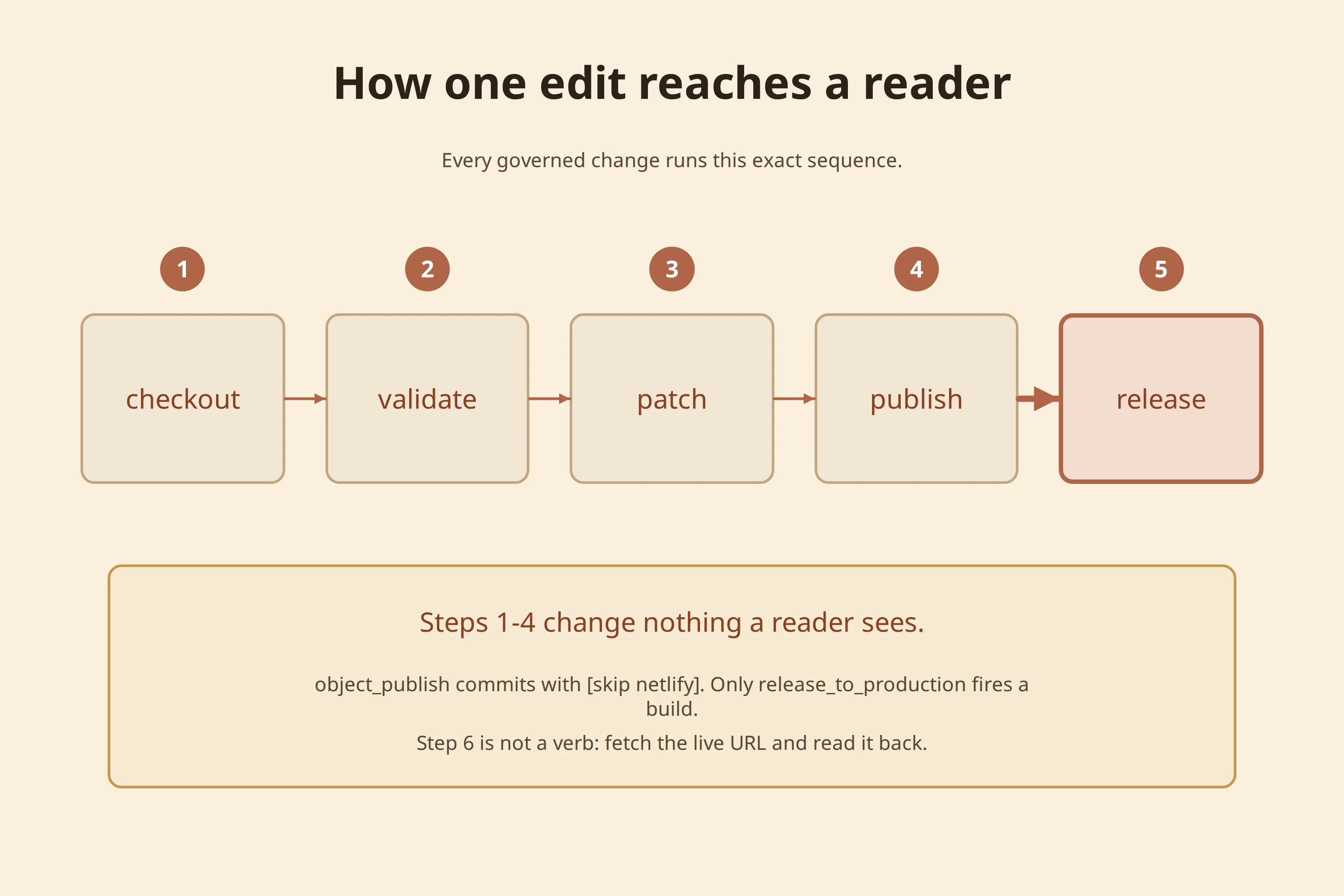
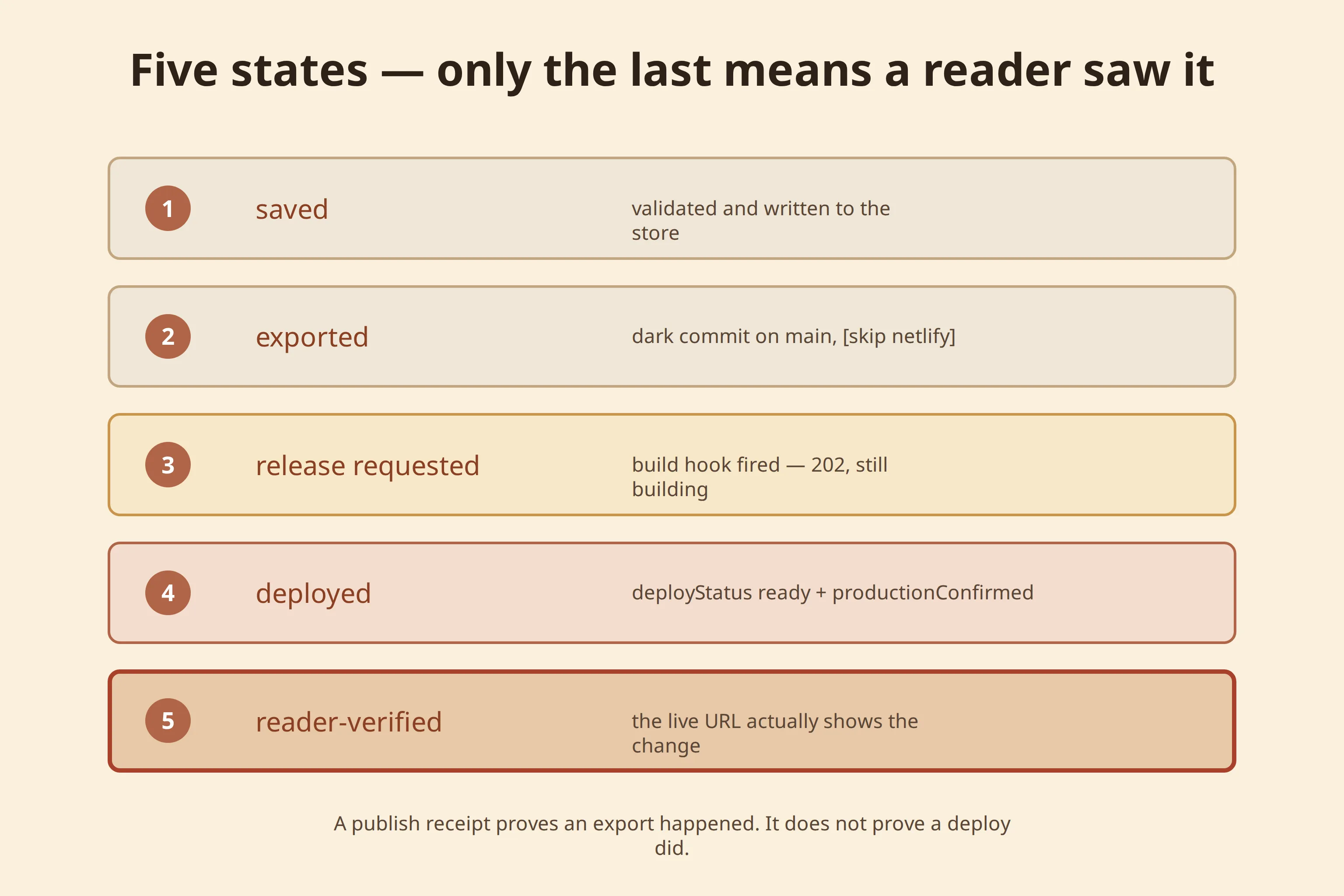
Ordinary pages and articles reach readers in two steps. Publishing validates the object and records a new version, but changes nothing readers see. Release runs one production build that ships every change published since the last release, and a deploy check confirms what production is serving. On this site most object types publish without a human; the editorial voice and products wait for a human approval.
Campaign pages take a faster route. A landing page or funnel step built on a campaign page type publishes as a frozen snapshot that goes live at a /go/ address without a site build. It holds fixed content only, so search, listings and form confirmations stay on static pages.
Status: static publish and release verified live. Campaign pages verified live on 15 October 2026.
Quality
Drafts are checked in a real browser
A draft page can be rendered at phone and desktop widths in a headless browser and inspected for measurable defects: horizontal overflow, low contrast, small tap targets, broken images, a call to action below the fold and nested interactive elements. A model proposes targeted fixes as object patches, a deterministic tool applies them to the draft, and the page is checked again until no defects remain.
The loop does not judge taste, and it does not yet detect misaligned rows. A person still reviews the look before release.
Status: one full correction cycle verified live, from 2 defects to 0.
Media
Images and PDFs
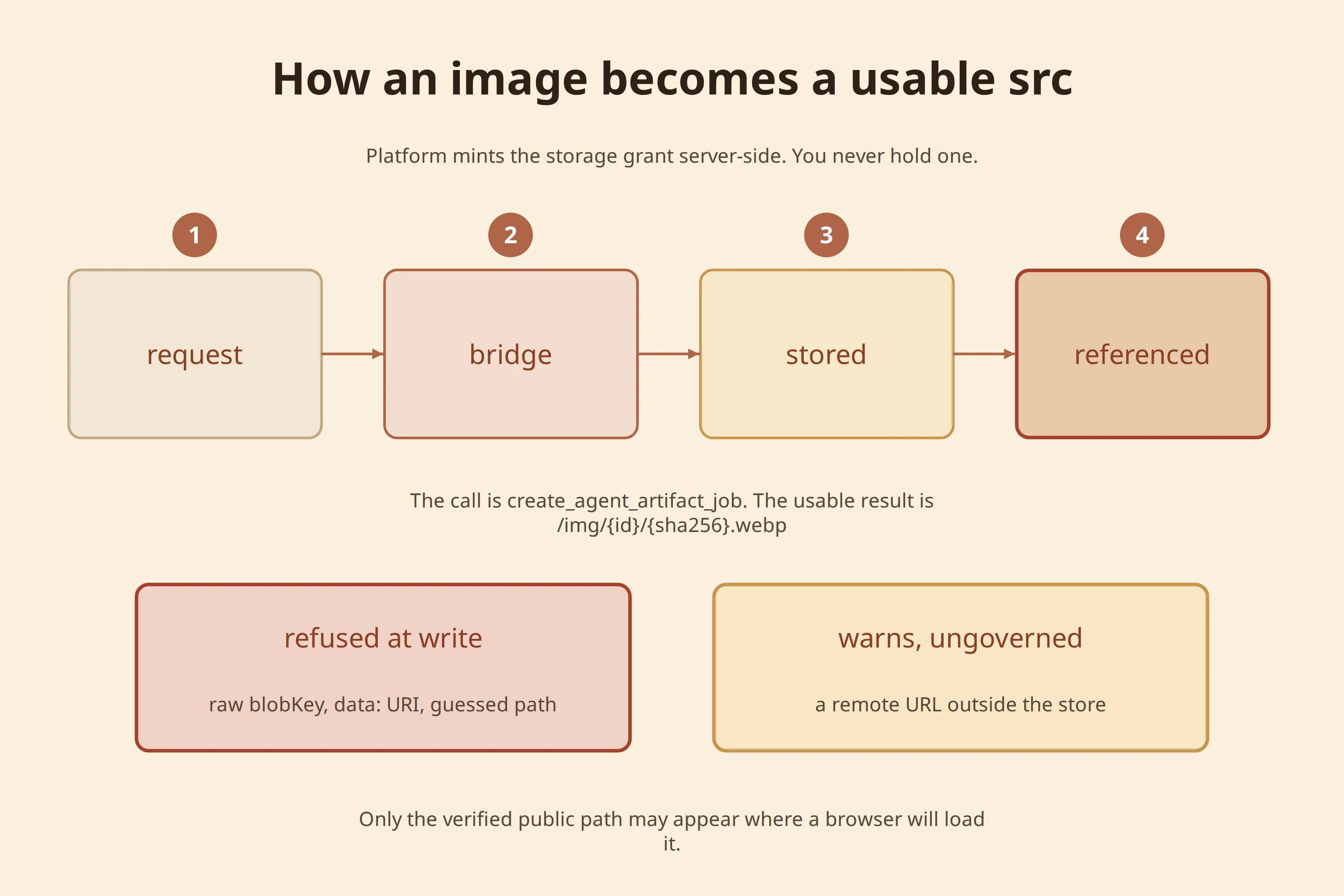
Images come from the site's own library or a licensed open source first, and are generated only when nothing suitable exists. Generated candidates are measured for contrast, palette and legibility before the best one is kept, and simple edits such as crops, resizes and text overlays run without any model cost. Every image is stored under the article or page that owns it and referenced by a fixed public address.
PDFs are rendered from versioned templates, so an article can offer a downloadable copy in the site's own colours without a model call.
Status: verified live. On this site, image search uses the site library and Openverse only; paid stock providers are switched off.
Leads
Forms, leads and the inbox
Forms are governed objects too. Every submission is stored in the site's own store and appears in the admin inbox with a triage status (new, open, done, spam or archived), notes and an assignee. Submissions caught by the hidden honeypot or the timing check are filed as spam instead of reaching anyone. Newsletter and lead-magnet sign-ups also create subscriber records with an unsubscribe link.
Notifications to the team are off by default. They can be set to one e-mail per submission or a daily digest once the site can send mail.
Status: verified live on this site.
Measurement
Tracking and experiments
Every site runs a first-party, cookieless tracker. It records page views, which sections and article blocks a reader saw and for how long, scroll depth, call-to-action clicks, outbound links, form submissions and goals. Events carry the stable ids of the section or block involved, so results stay attached to the content through edits. The admin analytics page and the analytics tools read the same data.
Experiments, where several versions of a page are served to different visitors, are built as governed objects, and the edge function that assigns visitors to versions is deployed. No experiment is running, and the link between versions and revenue has been verified offline only. This site makes no claims about winning variants.
Status: tracking verified live. Experiments built, not yet proven live.
Agents
The agent layer: CMS-Agent
CMS-Agent runs work as workflows made of nodes. The article workflow has 25 of them: it moves from topic, reader and research steps through drafting, four reviewers working at the same time, an aggregated verdict, image creation and finally publishing. Other workflows capture an existing website, clone it into a new site, build a visual identity, and run the browser check-and-correct loop on a page.
Steps that only reshape known data run as plain code. Model calls are reserved for judgement. Each node's instructions, tools and model are configuration rather than code, every change to them is versioned and reversible, and a separate evaluation layer scores node output against rubrics before a change is promoted.
On a site, the admin chat routes requests to these workflows, and comments left on a page element can be picked up by an agent.
Status: verified live.
Multisite
Many sites, one engine
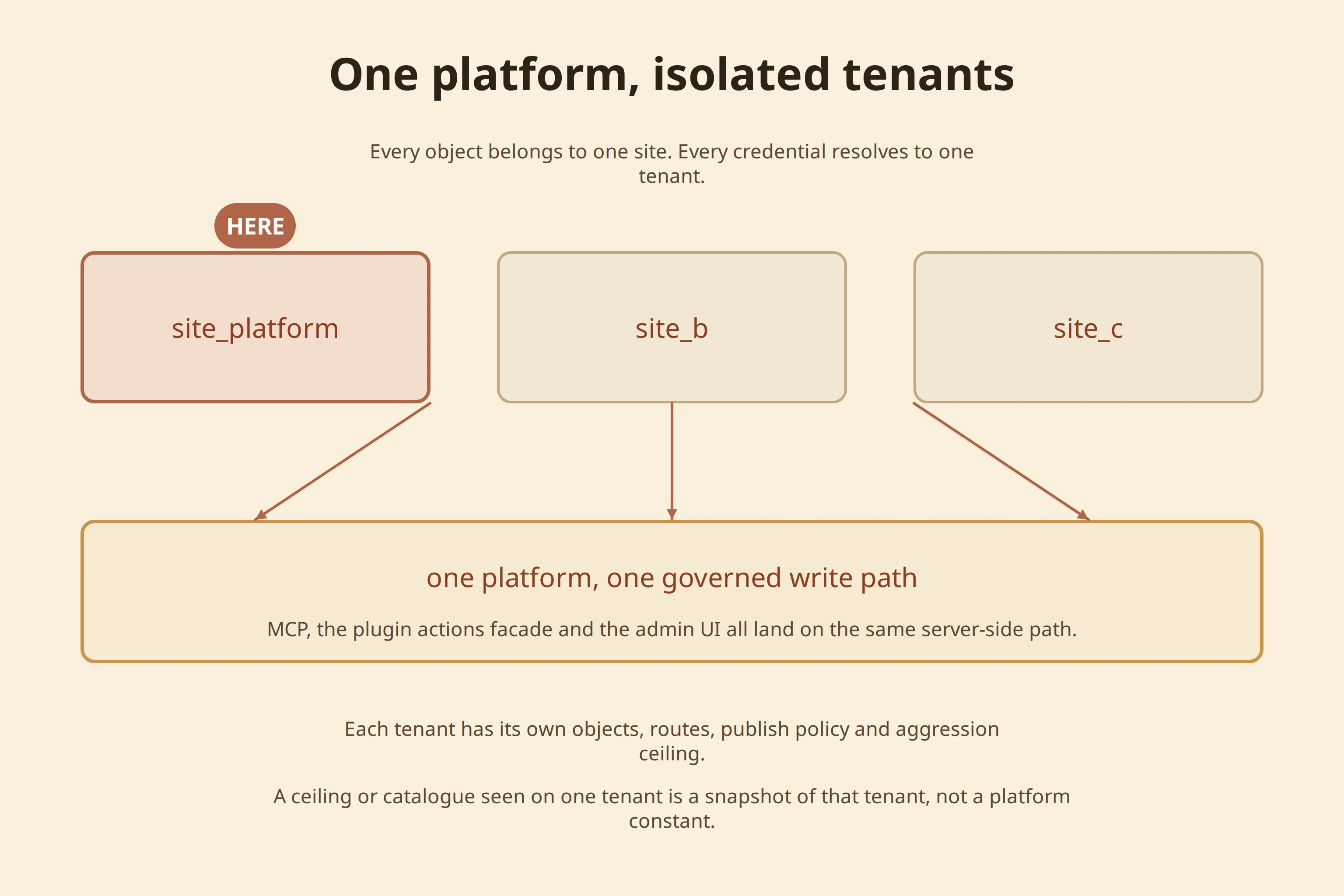
One codebase runs every site, but each site keeps its own objects, credentials, policies and deployment. This site is the fleet's control plane: it holds a registry record for each site with its class, release channel and status. Engine changes are meant to reach test sites first, on the canary channel, and production sites later, on the stable channel. New sites are created by a genesis routine that provisions hosting, storage and starter content.
Status: registry verified live, with six active site records. Channel promotion is built and controlled from the registry settings.
Next
Where to go from here
Each part above has a longer article. Start with the one closest to your job: