Text on images, spelled right: word art without AI typos
A reference for render_word_art and check_image_text: exact text over a stored image in Latin, Hebrew and Arabic, with live examples, the limits as read on 15 October 2026, and every warning and refusal observed.
28 min read By Platform documentation desk Guide #Publishing #Testing
Outcome
Words on an image, spelled exactly as you wrote them
An image model can paint a convincing picture and still draw words that spell nothing: shapes that read as text from across the room and fall apart up close. This site does not ask an image model to draw words.
Instead, the words are set by a renderer that takes your text as given, in a real font, over a picture that is already stored. Two tools do the work. render_word_art places the text and returns a report of exactly what it did. check_image_text then reads the finished image back with OCR (optical character recognition, software that reads text out of a picture) and confirms the words are there.
The result is text on an image that is spelled the way you spelled it, in Latin, Hebrew or Arabic script, left to right or right to left, with a report that says where the words landed and whether anything needs a second look. Neither tool publishes anything.
This article explains how the pieces fit, shows the tools working on 15 October 2026, and lists what they cannot do. Values and results were read from live calls on that date. Anything that could not be verified is labelled as such.
Core terms
Nine terms used in this article
Each term is a tool, a field in the word art specification, or a line in its report. Each keeps one meaning throughout.
Word art: text set by render_word_art. Your exact words, drawn in a registered font onto a copy of a stored image. The original image is not changed, and no image model is called.
Base image: the stored picture the words go over. It has to belong to the same article as the finished image. An image from elsewhere on the site is first adopted into the article by reference (adopt_artifact), which adds it without copying the file.
Font token: the short registry name of a font, such as montserrat or sans-hebrew. list_fonts returns the registry.
Direction: ltr (left to right), rtl (right to left) or auto, which lets the renderer decide from the text.
Wrap and balance: wrap sets how wide a line may be, as a fraction of the picture's width. Balance evens out the line lengths instead of filling each line up to that width.
Size, fixed or fit: a fixed size in pixels never changes. A fit range gives a largest and a smallest size, and the renderer picks the largest that fits the safe zone.
Safe zone: the rectangle, given as fractions of the picture, where the words are meant to sit. You choose it, normally over a quiet part of the picture.
Render report: what render_word_art returns with every image: the lines as set, the size and font used, the box the words occupy, whether it sits inside the safe zone, and any warnings. Warnings do not block a render.
OCR gate: check_image_text. It reads an image back and puts its verdict in textCheck.ok. It is warn-only: a failed check is still a successful call, and nothing is blocked.
Relationship
How the pieces fit: base, specification, report, gate
The pieces form one short chain. A stored base image and a specification go into render_word_art. A new image and a report come out. check_image_text reads the new image back. Each render is saved as a separate image and the base is never edited, so a poor result is discarded and redone.
Two properties make the chain dependable. First, it is deterministic: the same specification on the same base returns the same file. On 15 October 2026 the Example 1 render was run twice and returned the same file both times (identical SHA-256 fingerprint, starting f62bdd9c). Second, the report carries a fingerprint of the exact text it set (text_sha256) next to the text itself (text_verbatim), so the words that were set can be compared with the words that were supplied.
The order an agent follows
Read the rules. whoami confirms the connection and its permissions. list_fonts returns the font tokens. get_image_analysis_policy and get_pdf_ops_policy return the limits described under Settings and limits.
Choose a base image. search_artifacts and list_artifacts_by_kind find images already on the site, and adopt_artifact brings one into this article. For a plain surface, annotate_image can draw a flat panel with no model.
Find a quiet area. analyze_image_layout reports brightness and busyness for each cell of a grid laid over the picture, so the safe zone is chosen with evidence rather than by eye.
If a model made the base image, run check_image_text in expect_none mode on it before adding words.
Render. render_word_art takes the words, a font token, a direction, an optional wrap, a size or size range, and the safe zone. Ask for webp so the file stays inside the site's size budget.
Read the report: status, lines, font_px, inside_safe_zone and warnings.
Look at the picture. Images are served at their public address as soon as they exist, before any release, so you can open the result at once. Warnings describe intent. Only the picture shows the result.
Run check_image_text in expect mode with the exact words. For Hebrew, pass languages ["heb"].
Attach the image to the article by its public path, with alt text that says what the picture shows and a caption that states the takeaway.
What an agent needs from you: the exact words, which image, roughly where the words should sit (or permission to find a quiet area), the language and direction, and a size or a size range. What you review: the report summary and the image itself.
Relationship
Why an image model never draws the words
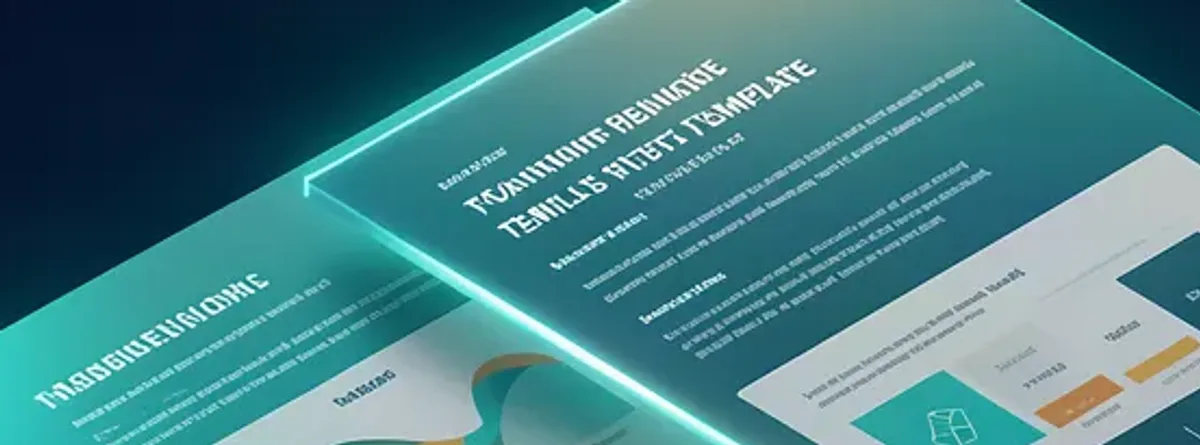
An image model paints pixels that look like text. It has no spelling to check against, so nothing in the process stops a wrong letter. The close-up with this section is cropped from an existing site image that a model made. At thumbnail size its page titles pass for text. Up close they are letter-like shapes that spell no sentence.
OCR gives a second opinion. In expect_none mode, check_image_text flags any significant text in an image that was meant to hold none. On 15 October 2026 it flagged that base image: ok was false, with seven short fragments (ee, Ze, LA, Za, Zs, Qo, oD). The fragments are not a transcription. They say that text-like marks are present, not what the picture says.
The same mode on a plain panel made without a model found no words and returned ok: true. That is the pattern to follow: make the base picture without words, check it with expect_none, then add every word with render_word_art.
A pass is evidence, not proof. The gate reads word art well because word art is plain, filled text in a known colour, and the render records where it put the words. It reads decorative lettering poorly. A stored image of a stamp, rotated and distressed, shows the words QA APPROVED in clear capitals. In expect_none mode the gate flagged it, but with only two fragments (Oe, qnt). In expect mode, a check for QA APPROVED returned ok: false. The same engine that read the word art correctly could not read the stamp. If a model-made picture carries words, look at it yourself.
Example
Example 1: an English headline over an existing site image
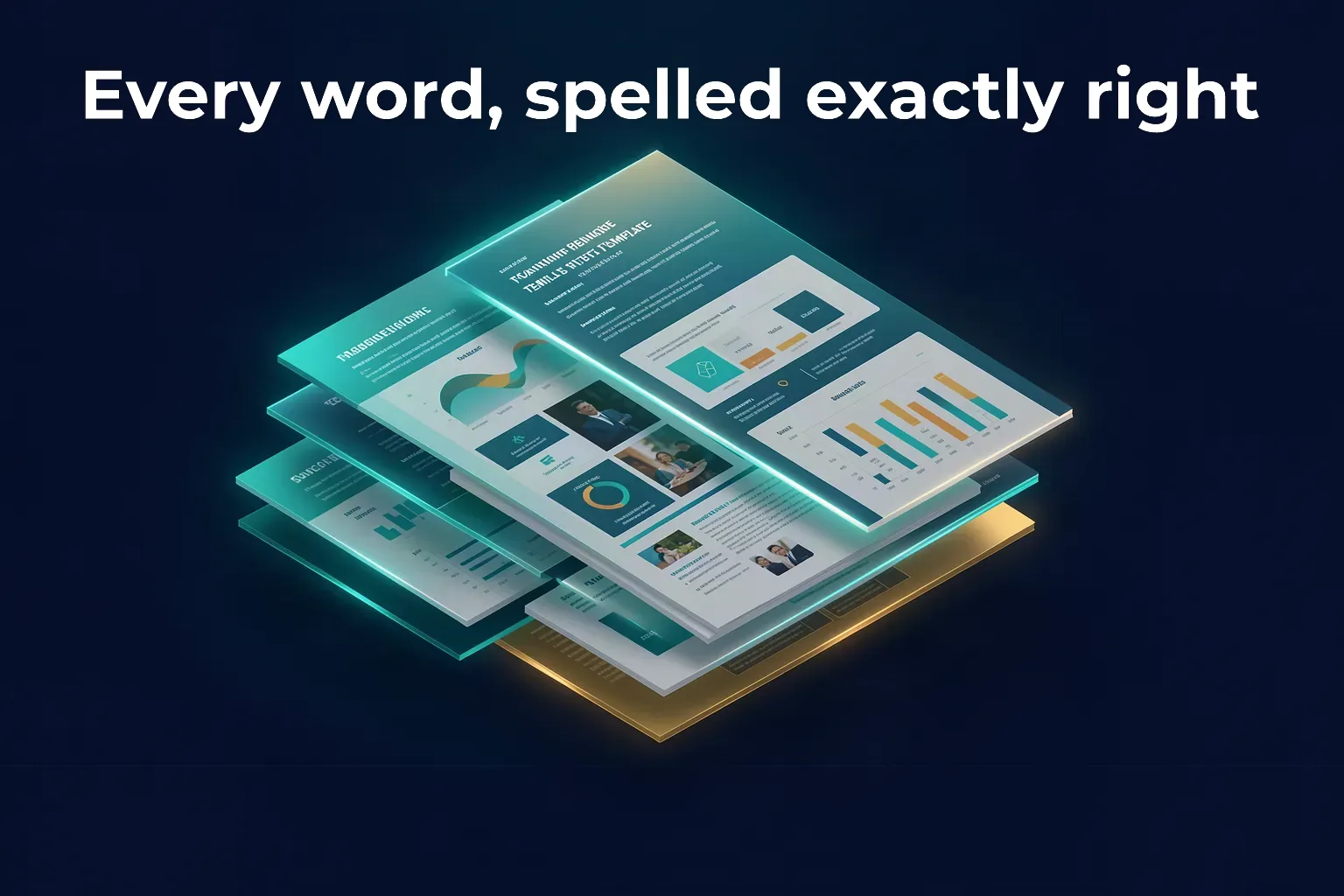
The base is an existing site image of layered pages, adopted into this article. The specification asked for the text Every word, spelled exactly right in montserrat at weight 700, white and centred, with a safe zone along the top of the picture where the layout grid showed little detail. The size was a range, 48 to 96 pixels, so the renderer chose the largest size that fit.
The report said: one line, 79 pixels, inside the safe zone, status pass, no warnings.
The OCR gate agreed. check_image_text in expect mode with the same words returned ok: true. It matched the whole phrase and detected five words: Every, word, spelled, exactly, right. It used its colour-key pass, which reads the image by the word art's fill colour, at a mean confidence of 96.5.
A deliberate misspelling shows the gate is not a rubber stamp. The same image checked against Every word, spelled exactly rigth returned ok: false and named the missing string. Matching ignores case and spacing and treats 0 and O, and 1, l and I, as the same character. It forgives nothing else.
Example
Example 2: a Hebrew line, right to left
The text is כל מילה בדיוק במקומה, which means Every word exactly in its place. The English meaning is given only so readers of other languages can follow. The tools check that the words you supply are drawn as supplied. They do not check meaning, so a reader of the language should approve the wording.
The font token was sans-hebrew, an alias for Noto Sans Hebrew, at weight 700, in off-white on a plain dark panel made without a model. Direction was rtl, so the line starts at the right-hand edge and reads leftward.
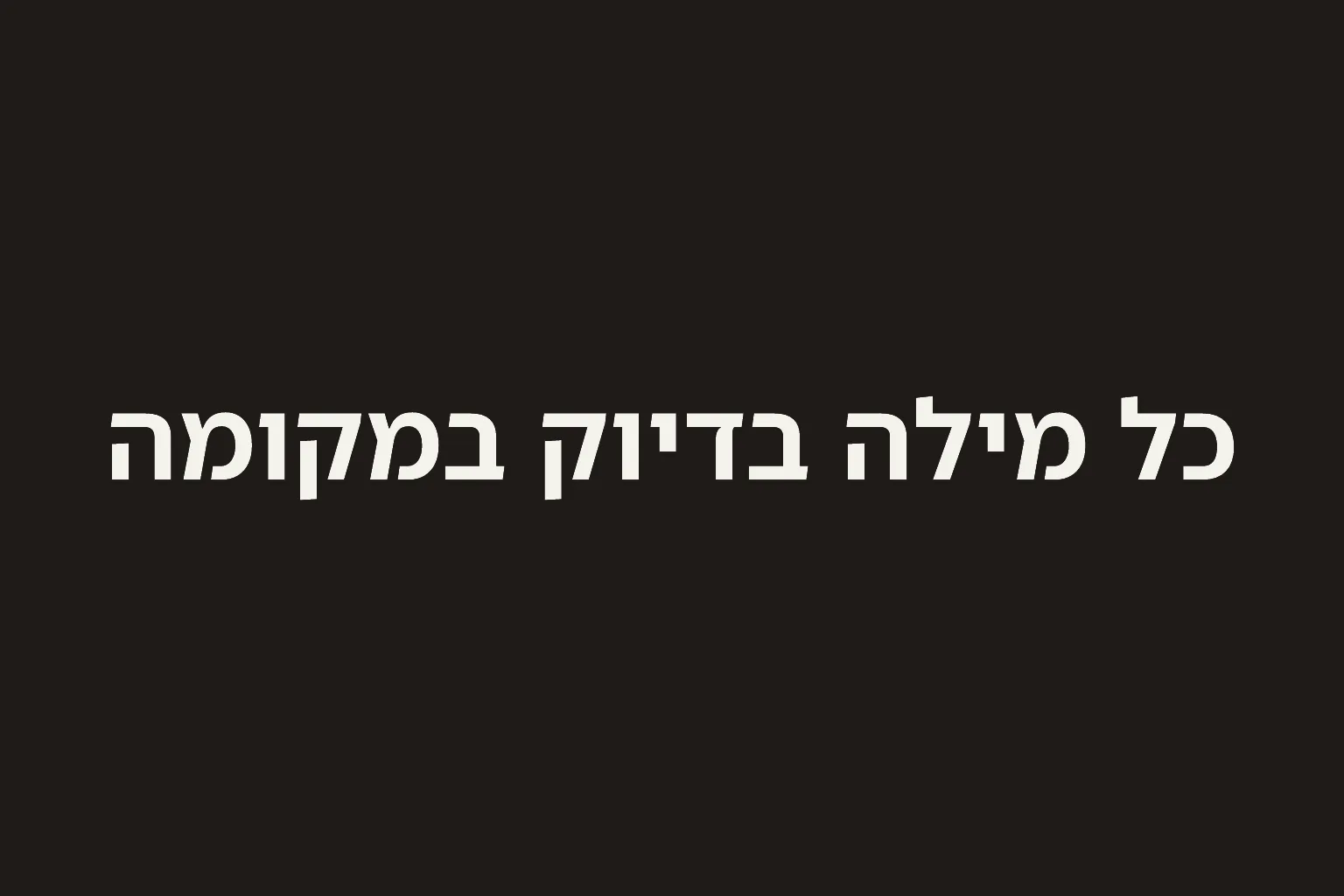
The first attempt used a fixed size of 150 pixels. It rendered and the report warned: the words ran from edge to edge of the picture (see Example 2b). The second attempt gave a range, 60 to 150 pixels. The renderer chose 126 pixels, the words sat inside the safe zone, and the report came back with no warnings.
OCR in Hebrew needs the language named. check_image_text with languages ["heb"] returned ok: true and read all four words (כל, מילה, בדיוק, במקומה) at a mean confidence of 93.2. The same check without a language used the default English reading and returned ok: false, with the junk it made of the Hebrew shapes (1017702, VTt3 and two more). A miss on Hebrew with no language named is not evidence the words are wrong. Name the language and run the check again.
Example
Example 2b: what the overflow warning looks like
This is the first Hebrew attempt, with a fixed size of 150 pixels. The report returned the warning WORDART_OVERFLOWS_SAFE_ZONE, with the detail measured layer 1530x142px exceeds safe zone 1290x328px, and status warn. The image was still made and stored. The words run from the left edge of the picture to the right with no margin, which is what the warning says. A fixed size does not shrink to fit. A size range does.
Example
Example 3: a two-line wrapped caption
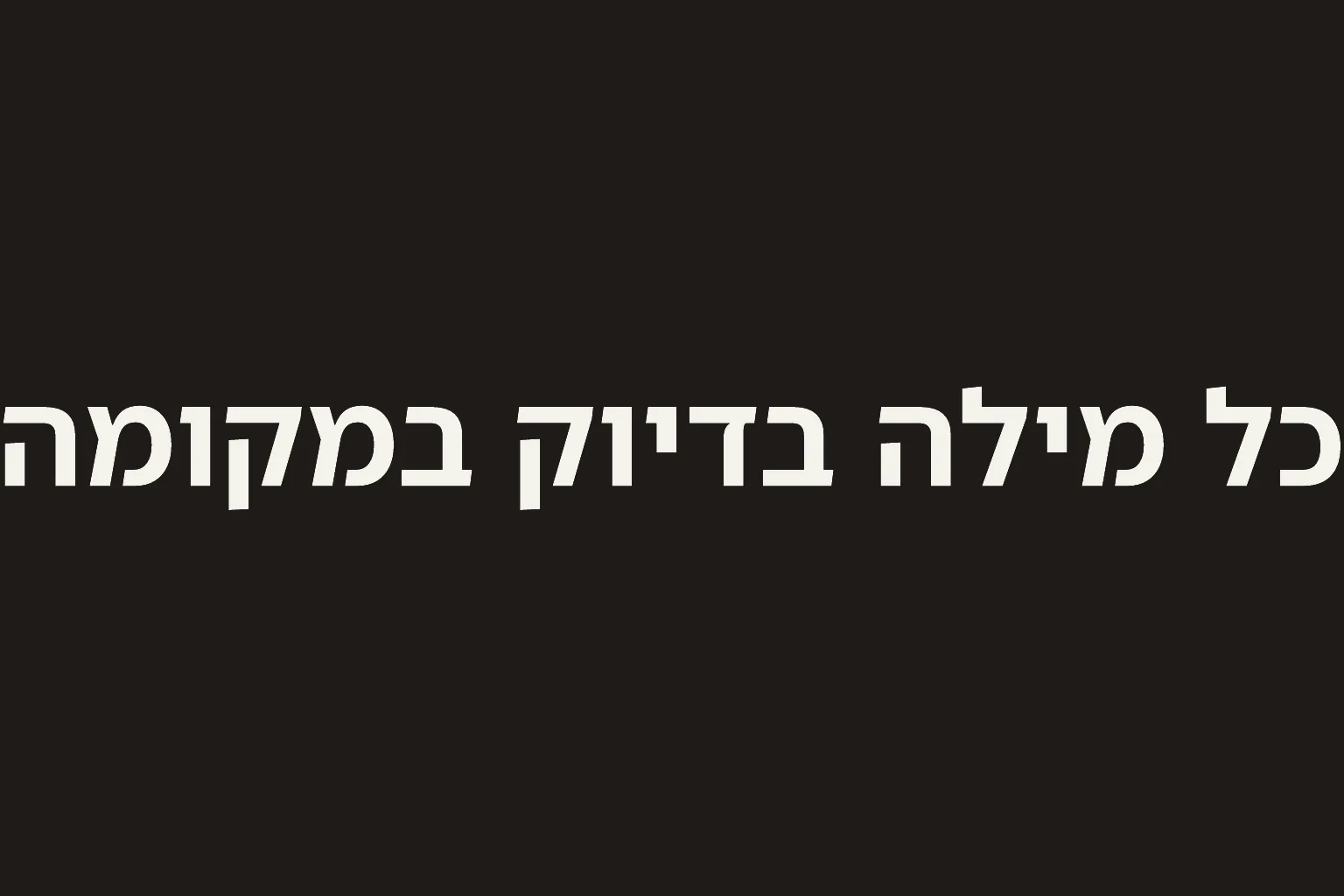
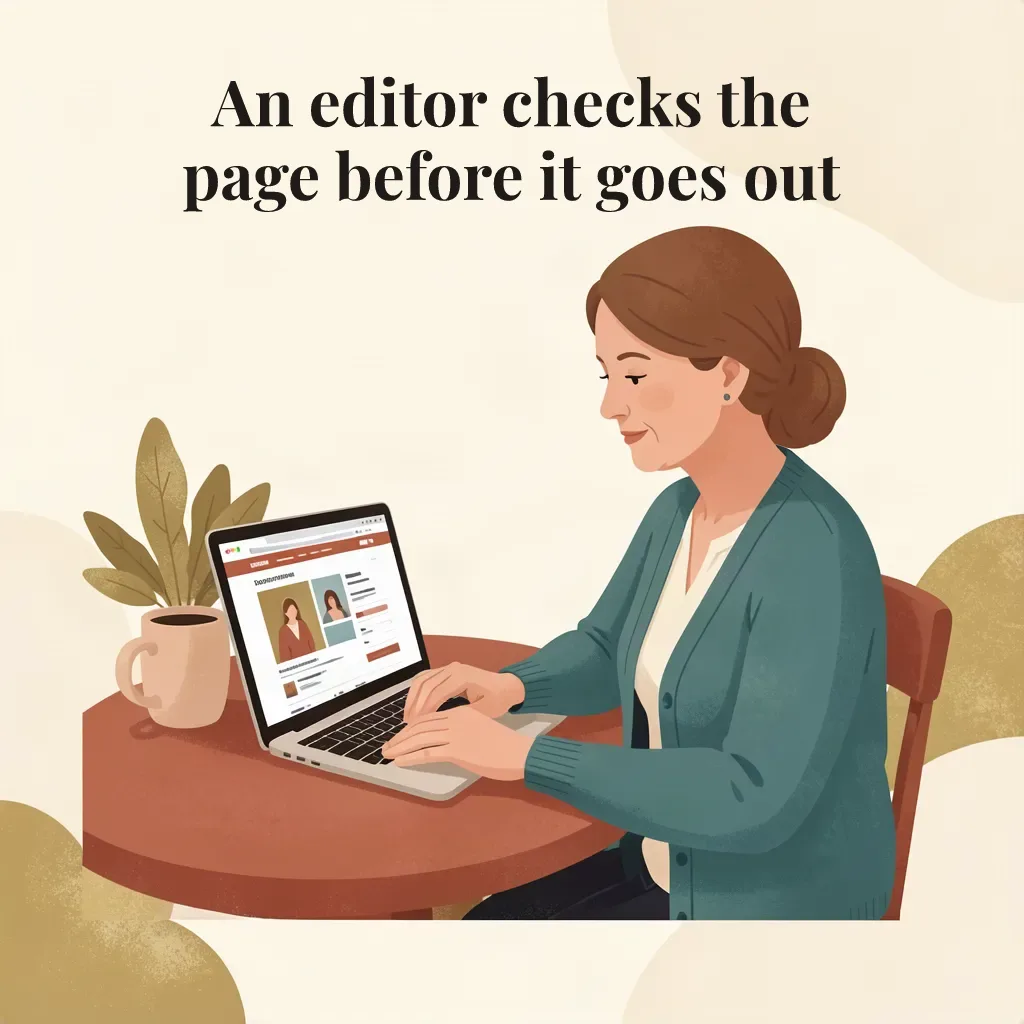
The base is an existing illustration of an editor at a laptop. The caption is An editor checks the page before it goes out, in playfair-display at weight 700, dark ink on the pale background above her. The wrap width was 0.8, meaning no line wider than 80 percent of the picture (819 pixels on this 1024-pixel image), with balance on. The size was a range, 36 to 64 pixels, and the renderer used 64.
The report returned two lines, An editor checks the and page before it goes out, inside the safe zone with no warnings. check_image_text in expect mode returned ok: true with all nine words detected, plus two stray marks from the illustration. The gate matches against everything it reads, so stray marks do not stop a match.
Example
Example 3b: the same caption with balance off
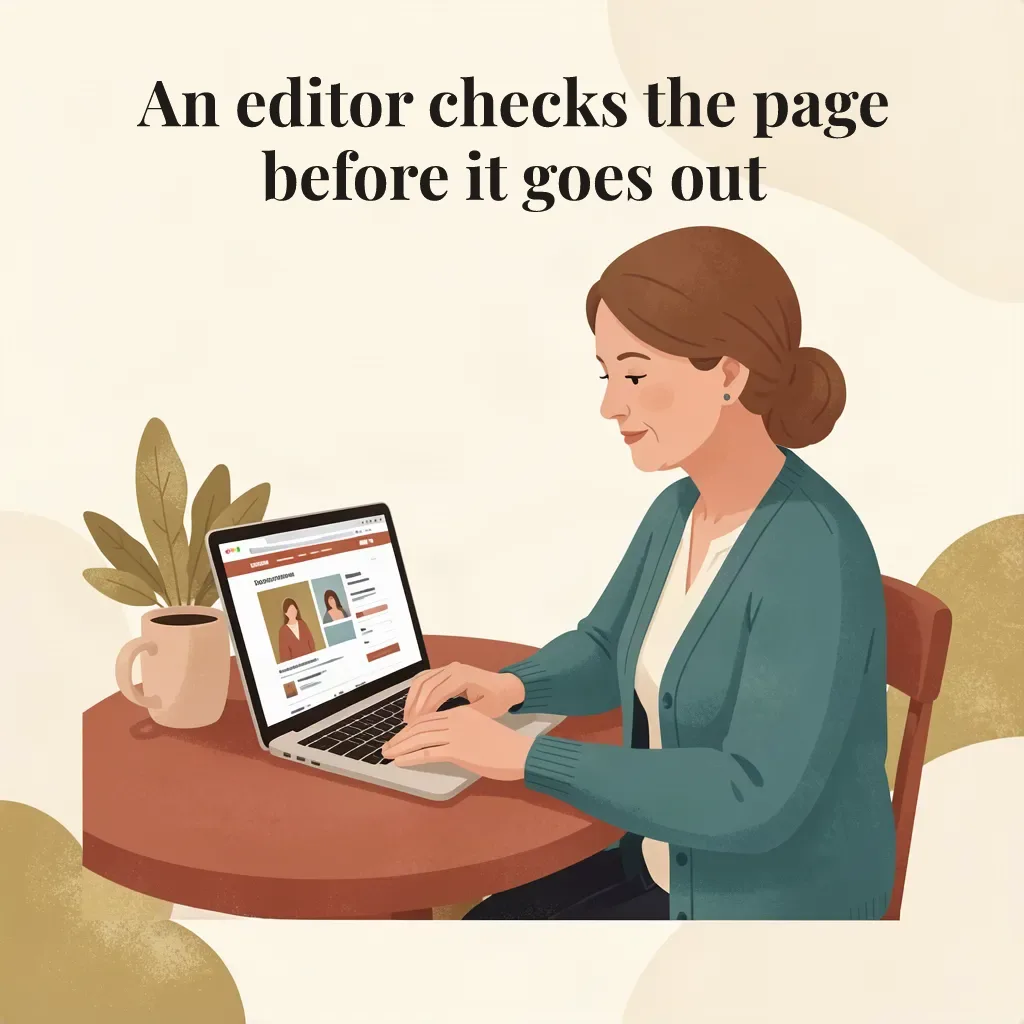
Turning balance off keeps the size and the wrap width and changes the break: An editor checks the page on the first line and before it goes out on the second. The first line is filled to the limit and the second is shorter. The block is about 73 percent of the picture wide, against about 64 percent when balanced. Both passed the OCR gate. Balance is a layout choice, not a correctness one. Choose it when a short last line looks awkward under a picture.
Example
Example 3c: a pass is not a design review
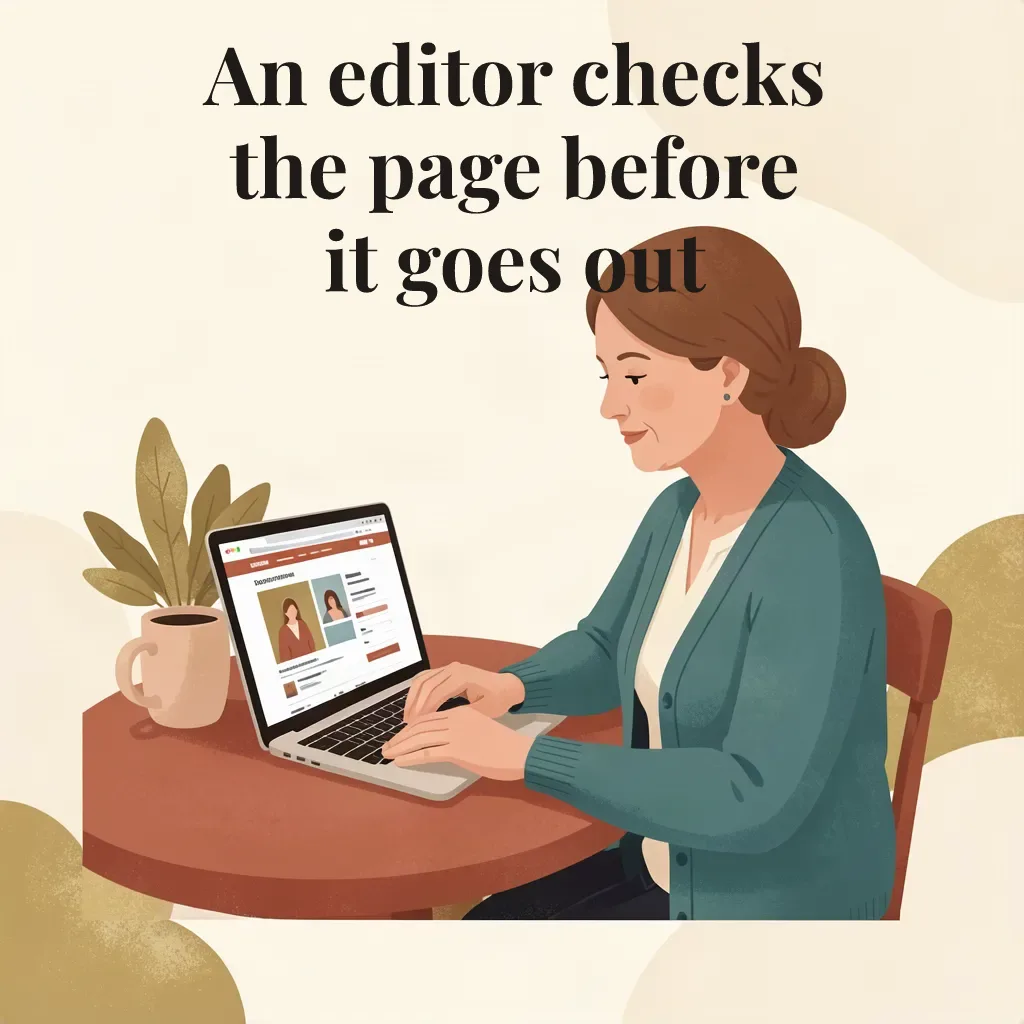
The first attempt at this caption used a wrap width of 0.7, a size range up to 84 pixels and a taller safe zone. The renderer set three lines at 81 pixels: An editor checks, the page before and it goes out. The report said pass, with the words inside the safe zone and no warnings. Looking at the picture shows the problem: the end of the last line runs into her hair.
The report was accurate. It measured the words against the safe zone it was given, and the safe zone was too tall. The tool cannot see the subject of the picture. This is why the order of steps in this article puts layout analysis before the render and a look at the picture after it. The fix was a wider wrap, a smaller size range and a shorter safe zone, which produced the two-line version in Example 3.
Example
Example 4: Hebrew with an English term inside
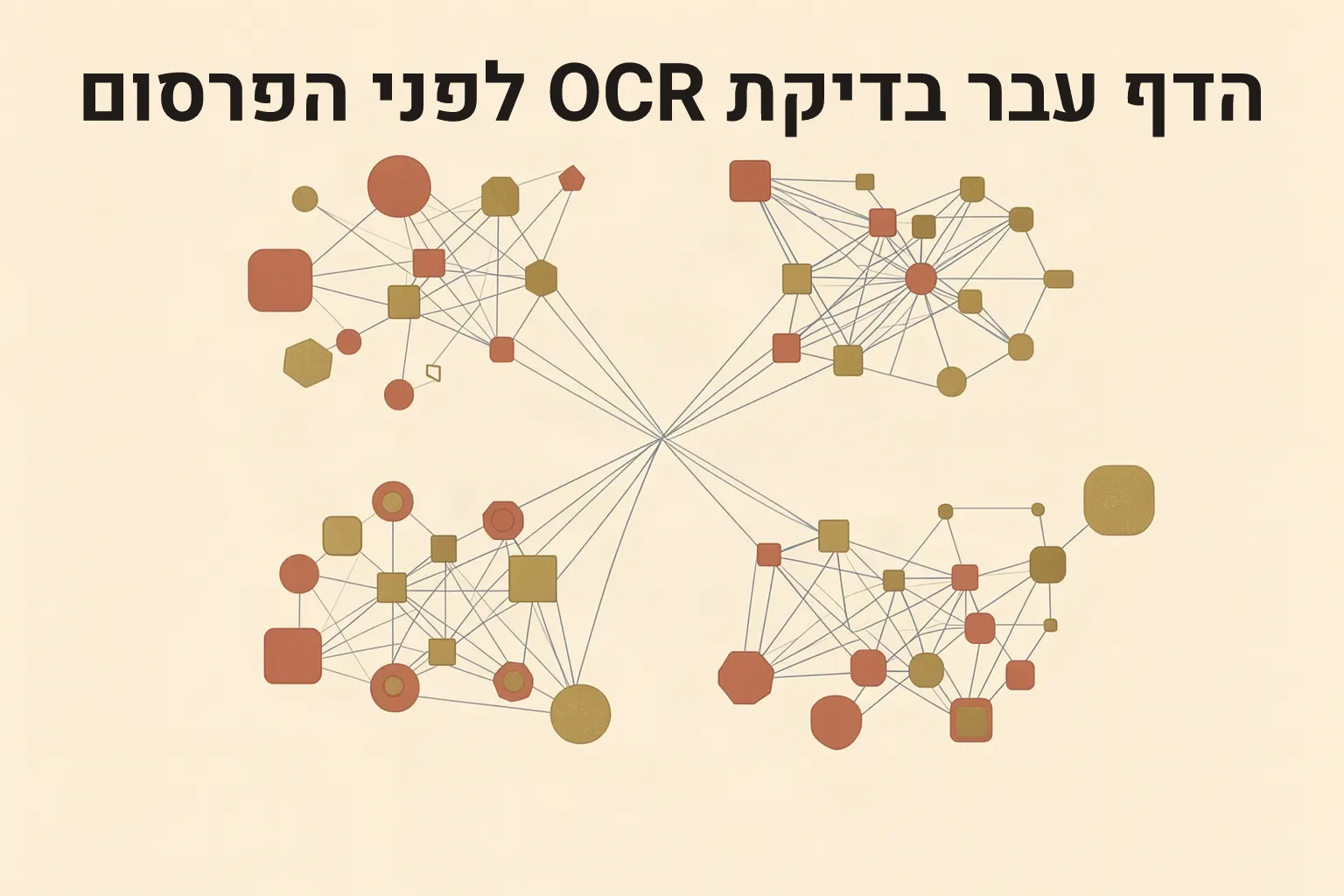
Real copy mixes scripts. The line is הדף עבר בדיקת OCR לפני הפרסום, which means The page passed an OCR check before publication. It was set in heebo at weight 700 over an existing network illustration. Direction was auto, and the report resolved it to rtl. The English term OCR sits in its natural place inside the right-to-left line.
check_image_text needed both languages, ["heb","eng"], and returned ok: true with the whole phrase matched. The network picture adds shapes and lines that OCR reads as extra fragments: thirty in total, of which twenty are listed. The gate matches against everything it read, so the extras did not stop the match.
Example
Example 5: an Arabic line
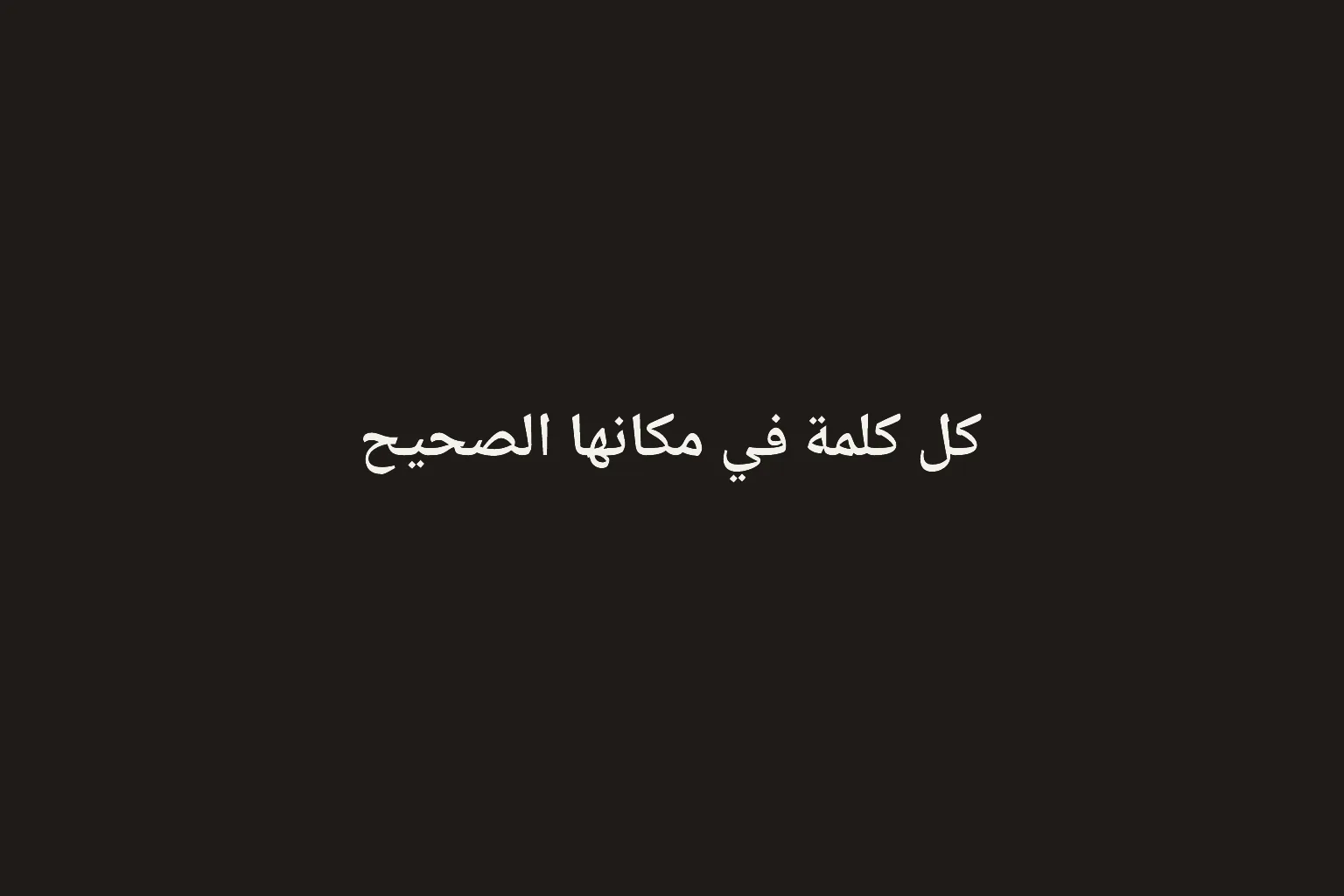
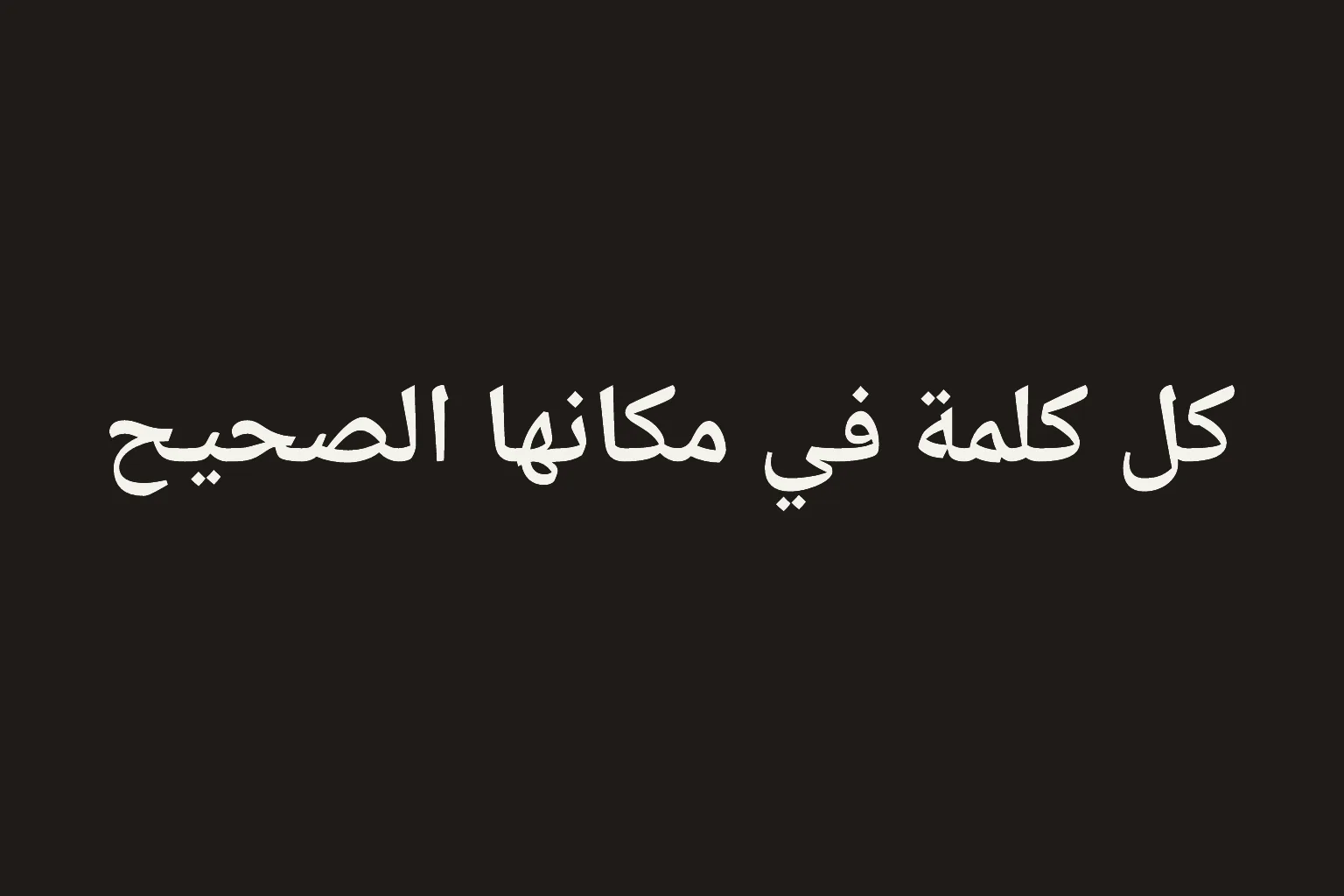
The text is كل كلمة في مكانها الصحيح, which means Every word in its right place. It was set in noto-naskh-arabic, the registry's Arabic font, at weight 700 and 72 pixels, direction rtl. The report was clean. Arabic letters change shape depending on their neighbours, and the picture shows them joined, as the script requires. check_image_text with languages ["ara"] returned ok: true and read all five words at a mean confidence of 93.6.
Size matters for the Arabic check. A first render of the same words at 131 pixels, chosen from a size range of 60 to 160, was also clean in the report and looked correct, but the gate returned no words and ok: false for it, with Arabic named, with Arabic and English named, and with a different reading mode. The same words at 72 pixels passed in both the regular and the bold weight. The cause is not known. See the section on Arabic at a large size near the end of this article. If an Arabic check comes back empty, re-render smaller before suspecting the text.
Example
Example 6: stroke and shadow over a busy picture
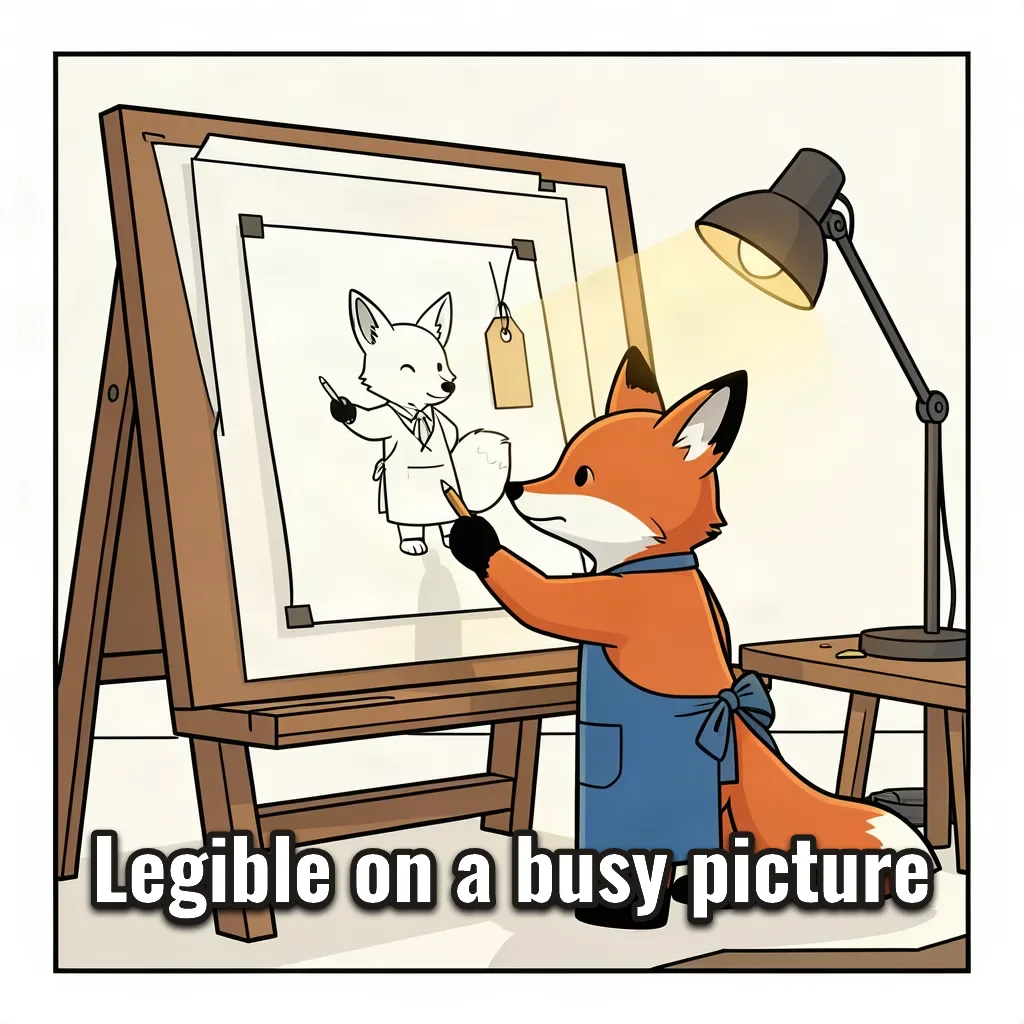
Text over a detailed picture needs help to stay legible. The base is an existing cartoon of a fox at an easel. The caption is Legible on a busy picture, in oswald at weight 700 with a white fill, a 6 pixel dark stroke and a soft shadow (blur 8 pixels, offset 0 across and 4 down). The size was a range, 48 to 120 pixels, and the renderer used 82. The report was a pass.
The OCR gate returned ok: false for this one. It tried four reading passes and settled on one that fills the gaps inside the stroke, at a mean confidence of 92.3. It read Legible, on, a and busy-picture: the last two words came back joined by a hyphen, so the exact phrase was not matched. A person reading the picture sees the right words. When the gate disagrees with your eyes on a busy picture, treat it as a reason to look, not as a defect in the words. The gate is warn-only.
Example
Example 7: weights from thin to extra bold
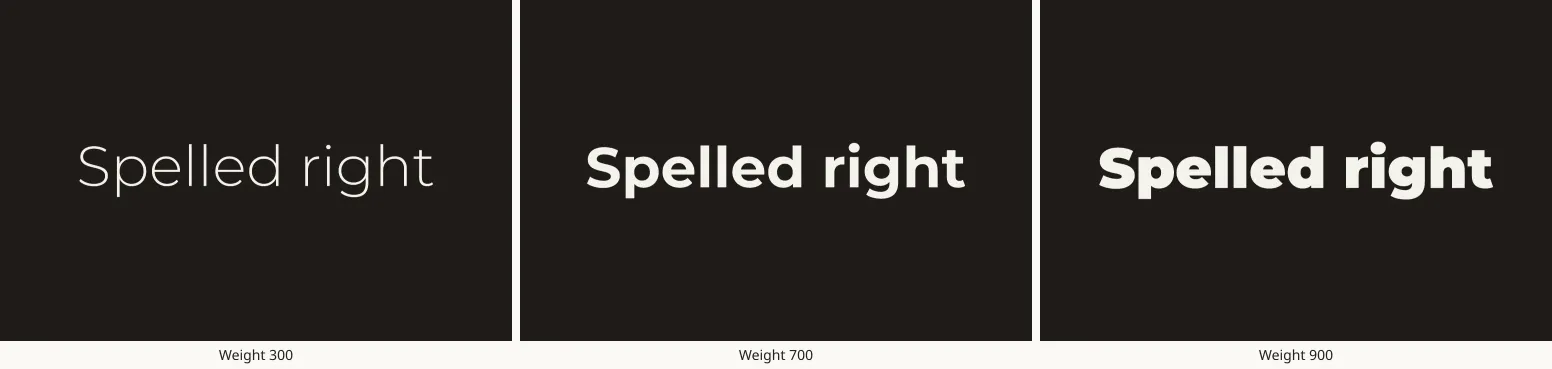
Fonts with a weight axis take any weight inside their range. This sheet sets the same words, Spelled right, in montserrat at weights 300, 700 and 900, each at 170 pixels on the same plain panel, and joins the three renders into one picture with compose_layout, a tool that arranges stored images without a model. Each render passed with no warnings, and the three differ visibly. The registry lists the weight range for every font (see Settings and limits). Weights outside a font's range were not tested.
Example
Example 8: the OCR gate in both modes
check_image_text has two modes. In expect mode you pass the exact strings the word art was meant to draw, and the gate confirms each is present. In expect_none mode you pass nothing, and the gate flags any significant text in an image that should hold none. The verdict is always in textCheck.ok, and the call itself always succeeds.
The results below were read on 15 October 2026. They are the gate's real behaviour, including its misses.
Expect mode
Every word, spelled exactly right: ok (Example 1).
Every word, spelled exactly rigth: not ok, with the missing string named. A typo in the expectation is caught.
An editor checks the page before it goes out: ok with balance on and with balance off (Examples 3 and 3b).
The Hebrew line with languages ["heb"]: ok. The same image with no language named: not ok (Example 2).
Hebrew with an English term, languages ["heb","eng"]: ok (Example 4).
The Arabic line at 72 pixels with languages ["ara"]: ok. At 131 pixels: not ok, no words read (Example 5).
Legible on a busy picture: not ok, the last two words read as busy-picture (Example 6).
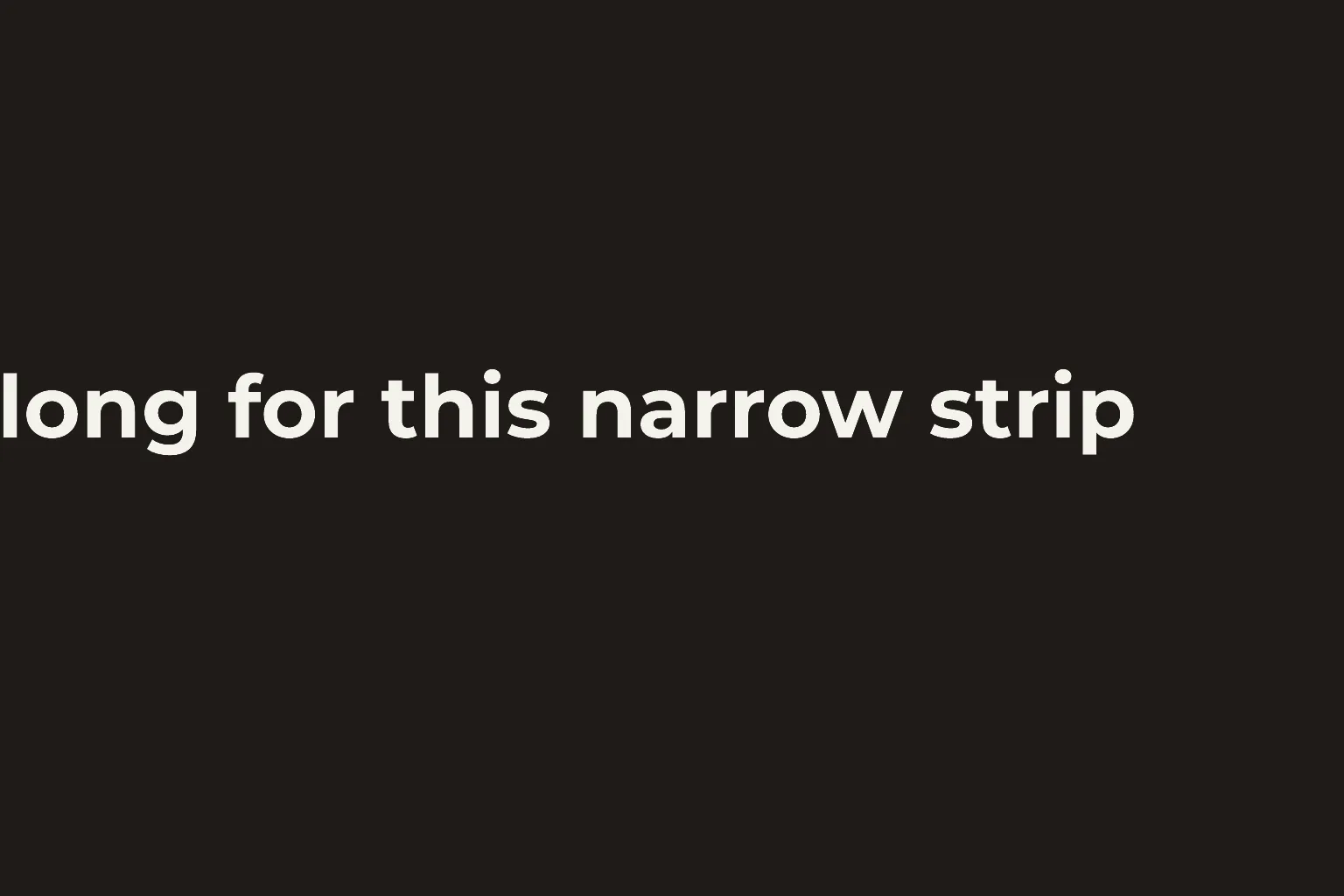
Too long for this narrow strip, after a size-at-minimum warning: not ok. It detected long for this narrow strip, because the first word was cut off by the picture's edge.
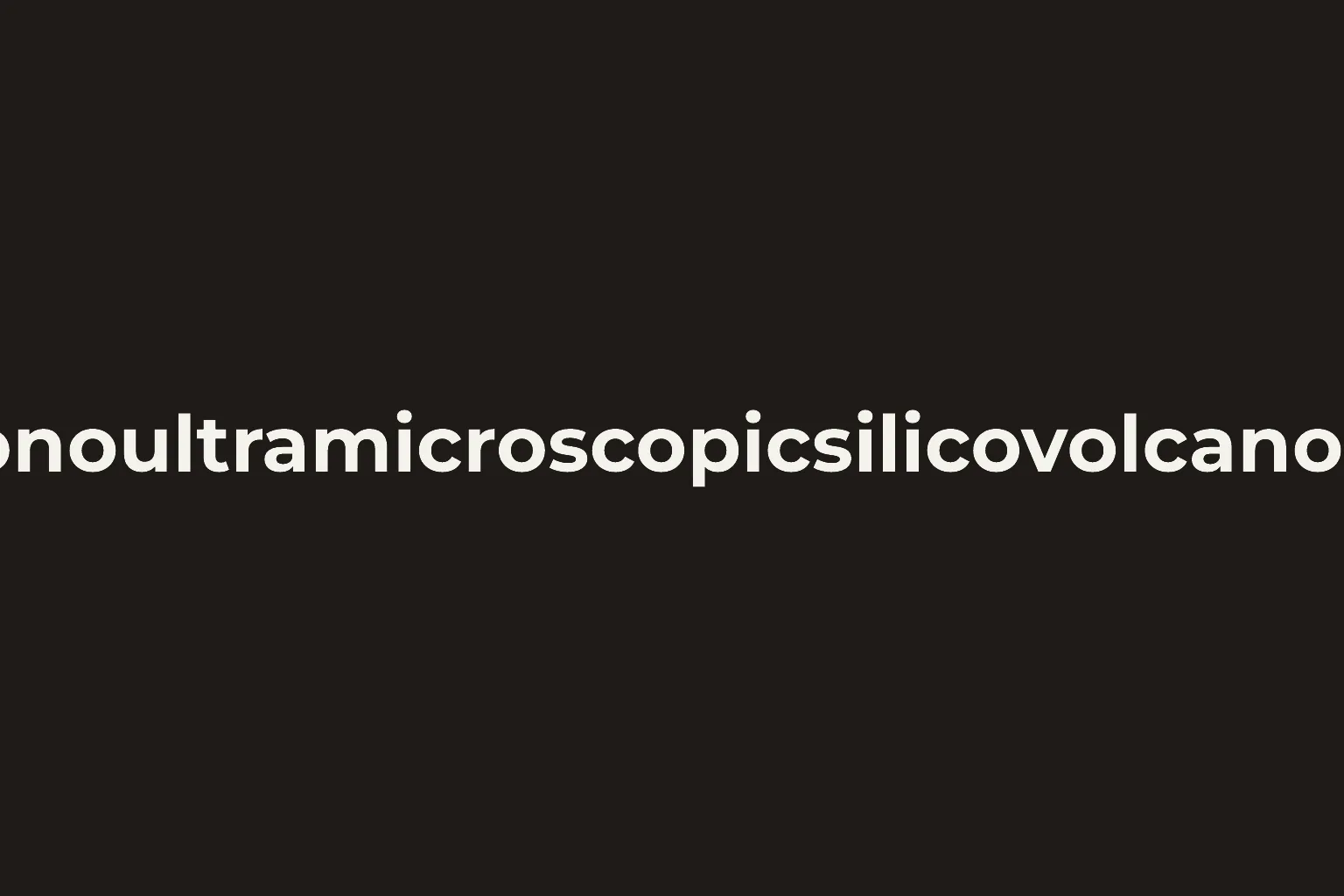
A 45-letter word after a wrap-overflow warning: not ok. It detected only oultramicroscopicsilicovolcan, because both ends were cut off.
Expect_none mode
A plain panel made without a model: ok, no words found.
An existing model-made image of layered pages: not ok, seven fragments (ee, Ze, LA, Za, Zs, Qo, oD).
An existing stamp image that reads QA APPROVED: not ok, two fragments (Oe, qnt). The gate saw text but could not say what it was.
Read preprocessUsed and ocrPasses in the response before concluding that text is missing. They say which reading passes ran and how confident each was. A pass in expect_none mode is evidence of no obvious text, not a guarantee.
Boundary
Settings and limits, as read on 15 October 2026
These values were read from live calls on 15 October 2026. The image analysis policy reported no stored overrides, and the PDF operations policy reported its source as default, so the values are the site's defaults. Re-read them before relying on them.
Working canvas (get_image_analysis_policy): 4096 pixels per side and 16,777,216 pixels in area. A layout that needs more is refused. The policy lists 256 to 8192 per side as its allowed range for this value, and set_image_analysis_policy changes it. It was not changed here.
OCR reading (get_image_analysis_policy): up to 4 passes per check (allowed range 1 to 8), the image enlarged 2 times before reading, and a colour tolerance of 60 for the colour-key pass.
OCR languages (get_pdf_ops_policy): the supported languages are eng, heb and ara. Pass them in languages. Leaving the field out gave an English reading. check_image_text accepted heb, ara and heb with eng in this article. Whether editing the PDF operations policy with set_pdf_ops_policy changes what check_image_text accepts was not tested.
Image size budget (the article contract): 153,600 bytes per image, webp preferred. The word art renders in this article ranged from 8,856 to 77,906 bytes as webp at quality 82. The contract notes a known discrepancy: the budget is set to warn, but the service has been seen to refuse an over-budget image outright. Treat it as a hard limit. Not exercised here.
Fonts (list_fonts): 16 fonts, all from the shared registry, none registered for this site. Aliases: sans is noto-sans, serif is noto-serif, sans-hebrew is noto-sans-hebrew. Defaults by script: latin noto-sans, hebrew noto-sans-hebrew, arabic noto-naskh-arabic. When a font lacks characters, the fallback order is noto-sans-hebrew, then noto-naskh-arabic, then noto-sans.
Write pacing: writes are limited to 60 per 10 minutes for each member, shared by every agent working under that member. Renders and edits during this article were refused several times with: Write rate limit: 60 writes per 10 minutes, per member. Wait 260s and try again. A refused call made no change. Wait the stated time, then call again. After a timeout, retry with the same idempotency key.
Boundary
The font registry and what the specification accepts
list_fonts returns the registry. These are the tokens read on 15 October 2026, grouped by the scripts each font covers.
Latin only: anton, bangers, bebas-neue, montserrat, oswald, pacifico, permanent-marker, playfair-display.
Latin, Greek and Cyrillic: noto-sans, noto-serif.
Hebrew and Latin: heebo, rubik. Hebrew only: assistant, frank-ruhl-libre, noto-sans-hebrew.
Arabic and Latin: noto-naskh-arabic.
Weights. Fonts with a weight axis accept any weight in their range: montserrat 100 to 900, heebo 100 to 900, rubik 300 to 900, oswald 200 to 700, playfair-display 400 to 900, assistant 200 to 800, frank-ruhl-libre 300 to 900. The others have fixed weights: 400 only for anton, bangers, bebas-neue, pacifico and permanent-marker, and 400 and 700 for noto-sans, noto-serif, noto-sans-hebrew and noto-naskh-arabic.
What the specification accepts
text: the exact words. No other field changes them.
font: a token and a weight. direction: auto, ltr or rtl.
wrap: maxWidth as a fraction of the picture's width, and balance true or false.
size: a fixed px, or fit with maxPx and minPx. align, lineHeight and fill.
stroke: color and widthPx. shadow: color, blurPx, offsetXPx and offsetYPx.
placement: safeZone (x, y, w and h as fractions of the picture) and anchor.
The specification is strict. A misspelt or unknown key is refused and named. Text on a curve (textOnPath) is part of the contract but is not implemented.
Boundary
Brand fonts: register_project_font
When no registry font matches a brand, register_project_font adds one for the whole project. After that, list_fonts shows it with origin project and render_word_art accepts its token. The call changes project settings. It never publishes anything, and it applies to every later render for the site, so confirm the licence with the font's owner before calling it.
What it needs
A font file already stored for the article (named by its public path or SHA-256), or an https address together with the file's SHA-256.
TrueType or OpenType files only. WOFF, WOFF2 and TTC files are refused.
A token of lowercase letters, digits and hyphens, up to 64 characters, and a family name. A token already owned by another family is refused.
A licence: OFL-1.1, Apache-2.0 or tenant-owned. Tenant-owned needs a note saying who holds the rights.
A weight from 100 to 900 in steps of 100 (default 400). Only the normal style is supported, so an italic file is registered under its own token.
The refusal codes the tool names are WORDART_FONT_LICENCE_REQUIRED, WORDART_FONT_TOKEN_CONFLICT, WORDART_FONT_SHA256_REQUIRED, WORDART_FONT_SHA256_MISMATCH and WORDART_FONT_STYLE_UNSUPPORTED.
Status on 15 October 2026
Explained, not exercised with a real font. No font file is stored for this site, so nothing was registered, and list_fonts read zero project fonts before and after. Two refusals were observed.
A source that does not exist: No artifact with sha256 0000...0000 is indexed for request (the message names the all-zero SHA-256 that was sent). list_artifacts_for_request shows what exists.
A call with no licence: licence is required: { spdx | name, url?, notes? } naming the licence the font file is used under (one of OFL-1.1, Apache-2.0, tenant-owned). A font is never registered without it.
The other codes listed above come from the tool's own description and were not triggered here.
Boundary
Warnings and refusals: what each means and what to do
Two kinds of outcome exist. A warning comes with a finished image: the render happened, the report has status warn, and the image is stored. A refusal means no image was made. Every message below was observed on 15 October 2026.
Warnings: the image exists
WORDART_OVERFLOWS_SAFE_ZONE: the words are larger than the safe zone. Seen with the 150 pixel Hebrew line (Example 2b): measured layer 1530x142px exceeds safe zone 1290x328px. The reported box is clamped to the picture, and the words run to the edges. Fix: use a size range instead of a fixed size, widen the zone, or shorten the text.
WORDART_FIT_AT_MIN_SIZE: a size range was given and the words do not fit even at the smallest size: layer does not fit the safe zone even at minPx=100; rendered at minPx. It comes with an overflow warning. In the example that follows, the first word, Too, was cut off by the picture's edge and the OCR gate missed it. Fix: lower minPx, shorten the text, allow a wrap, or widen the zone.
WORDART_WRAP_OVERFLOW: one word is wider than the wrap width and cannot be broken: unbreakable text wider than the wrap width (461px): Pneumonoultramicroscopicsilicovolcanoconiosis. The word is drawn on one line and clipped at both edges. Fix: widen the wrap or reduce the size.
WORDART_FONT_FALLBACK: the chosen font lacks some characters and another font drew them: Montserrat lacks some characters; drawn with fallback font(s): Noto Sans Hebrew. The Hebrew line looked right, because the fallback is a Hebrew font, but it was not the font requested. The report's fonts_used lists what was really used. Fix: choose a font whose scripts cover the text. list_fonts shows each font's scripts.
missing_glyphs: a list in the report of characters that no font could draw. It was empty in every render in this article, so what a non-empty list looks like was not observed.
A gate result of not ok: warn-only. Read detected, preprocessUsed and ocrPasses before deciding. In this article it came from Hebrew with no language named, a clipped word, stroked text on a busy picture, and Arabic at a large size. In each case, look at the picture.
Refusals: no image
Unknown font: Unknown font token "comic-sans". Available tokens: followed by the valid tokens (the 16 fonts and 3 aliases). Fix: pick a token from that list.
Unknown or misspelt key: Invalid WordArtSpec: shadow.offsetXPx: Required; shadow.offsetYPx: Required; shadow.blurPx: Required; shadow: Unrecognized key(s) in object: 'blur', 'offsetX', 'offsetY'. The specification is strict, so the message names the keys it wanted.
Not implemented: Invalid WordArtSpec: textOnPath: textOnPath is part of the contract but not implemented. Text on a curve is not available.
Layout too large: text layout would need a 4593x323px working canvas; limit is 4096px per side and 16777216px area. Seen with a 61-character sentence on one line at 100 pixels or more. Fix: shorter text, a wrap, or a smaller size.
A base image from another article: refused, according to the tool's description. Not exercised here. Adopt the image into the article first.
Write rate limit: see Settings and limits.
Boundary
What a wrap overflow looks like
One 45-letter word, a wrap width of 30 percent and a fixed size of 90 pixels. The report returned both WORDART_WRAP_OVERFLOW and WORDART_OVERFLOWS_SAFE_ZONE, and the word is clipped at both edges of the picture. Nothing was blocked and the image was stored, which is why the report and the picture both need reading.
Boundary
What a size-at-minimum warning looks like
Montserrat with a size range of 100 to 120 pixels, in a safe zone half the picture wide, for the words Too long for this narrow strip. The report returned WORDART_FIT_AT_MIN_SIZE and WORDART_OVERFLOWS_SAFE_ZONE. The line is centred on the zone, so the overflow spills past the left edge of the picture and the first word is lost. The OCR gate read long for this narrow strip and reported the missing word.
Boundary
Arabic at a large size
A first Arabic render at 131 pixels (Noto Naskh Arabic 700, chosen from a range of 60 to 160) is shown here. Its report was a clean pass and the letters are joined correctly, but check_image_text returned zero words and ok: false for it under every setting tried: Arabic named, Arabic and English named, and a different reading mode through ocr_extract. The same words at 72 pixels passed in the regular and bold weights (Example 5). The cause is not known and is recorded as unverified below. If an Arabic check returns no words, re-render at a smaller size and check again, and always look at the picture.
Boundary
What was not verified
This site labels anything unverified. These items were not confirmed in the session that produced this article.
Why Arabic at 131 pixels reads as no words. It passed at 72 pixels. Where between the two sizes it stops passing was not mapped.
Decorative lettering and the gate. A rotated, distressed stamp was misread. Other lettering styles were not mapped.
Brand font registration. It never succeeded here, because no font file is stored for this site. Only two refusals were observed. The other refusal codes come from the tool's description.
Weights outside a font's range, and fixed-weight fonts at weights they do not list. Not tested.
Where the project-level wrap defaults are set. The report's wrap block names the wrap policy that applied (balance off, no maximum width) and which value won (the specification). No setting for it appeared in the two policies that were read.
Over-budget images from word art, and a base image from another article. Not exercised.
The admin chat. These examples were made by an agent through the platform's tool interface. How the admin chat words or sequences these requests was not exercised.
That render_word_art calls no image model. This comes from the tool's description and from its deterministic output. Spend records were not inspected.
The Hebrew and Arabic meanings given in English are for orientation. A native reader has not reviewed them.
Related reading
Related reading
Each of these is on this site.
How Images Are Found, Made and Checked: the image pipeline end to end, from search to storage addresses and the size budget.
How an artifact is made: from brief to published image: a short illustrated walkthrough of one artifact's life.
Downloadable PDFs: Turning Platform Content Into a Document: the PDF side of the foundry, including images inside PDFs.
What Actually Needs AI in This System (and What Doesn't): why exact, rule-based steps such as word art do not need a model.
Other articles in this series on images and PDFs:
Download any article as a PDF: templates, kinds and the quality check
Labels, arrows and callouts on images: annotating without a designer
One image, every screen: resizing, smart crops, splits and layouts
Checking images against the brand: colour, contrast, sharpness and logo placement
Editing PDFs without a designer: page numbers, watermarks, merging, text and forms
Finding and importing stock images: search, shortlist, licence and attribution
AI images in your site's own style: brand imagery, routing, candidates and edits
Next safe operation: call list_fonts to see the registry, then render a test image with render_word_art over an image already stored for your article. It adds one new image and changes nothing that exists or is live.